Methods
__construct
Initiates the class and optionally accepts an array of default settings.
- $default_settings( array ): The default settings.
require_once '/your/path/Ce_image.php';
//instantiate the class without default settings
$ce_image = new Ce_image();
clone_resource
Returns a clone of the currently open image resource. This is useful if you want to use the resource after you close the tag.
[This method has no parameters]
- return resource|bool: The resource clone on success and FALSE on failure.
The below example is probably one of the most complex examples in the documentation. It shows how to clone a resource and use it as the source for another image, in order to apply multiple watermarks:

$ce_image->make( '/images/example/cow_square.jpg',
array(
'watermark' => array(
'/images/watermarks/logo_sm1.png', //source
array( 0, 0 ), //minimum dimensions
10, //opacity
'repeat', //position
array( 5, 5 ) //offset
)
),
FALSE //don't save the image
);
//assign the resource, so we can use it later
$resource = $ce_image->clone_resource();
//the close() method deletes the original resource, but we have a clone!
$ce_image->close();
//make the image using the resource and save it this time
$ce_image->make( $resource,
array(
'watermark' => array(
'/images/watermarks/logo_sm2.png', //source
array( 140, 60 ), //minimum dimensions
80, //opacity
array( 'right', 'bottom' ), //position
array( -10, -10 ) //offset
),
'filename' => 'double_watermark_cow',
'unique' => 'none'
)
);
//create the tag
echo $ce_image->create_tag();
//close the image, this will delete our resource
$ce_image->close();
close
Closes the image. If the image’s resource is open, it is destroyed to free memory.
[This method has no parameters]
return void
Once an image is opened or made, you have access to the various methods that give you detailed information about the image (and its original, where applicable). Once you are done interacting with the image, however, it is crucial that you call the close method! This method will remove the image data for the resource, and free up memory.
create_tag
Creates a tag for the current image. It will automatically add in the images width, height, and alt tag if they are not passed in as attributes.
- $attributes (array): The attributes to be used for the image.
- $closing_slash (bool): Whether or not to include a closing slash (defaults to TRUE).
return string:The HTML image tag.
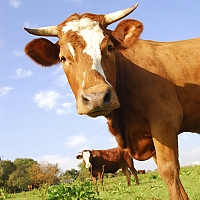
//create the tag
echo $ce_image->create_tag();
$ce_image->close();
create_original_tag
Creates a tag for the original image. It will automatically add in the images width, height, and alt tag if they are not passed in as attributes.
- $attributes (array): The attributes to be used for the image.
- $closing_slash (bool): Whether or not to include a closing slash (defaults to TRUE).
return string:The HTML image tag.

array( 'filters' => 'grayscale' )
);
//create the tag for the new image
echo $ce_image->create_tag() . ' ';
//create the tag for the original (source) image
echo $ce_image->create_original_tag();
$ce_image->close();
get_ascii_art
Creates ASCII art for an image. Each character represents one pixel from the image.
- $use_colors (bool): Whether or not to colorize the characters.
- $ascii_characters (bool): The array of characters to be used for the ASCII art.
- $repeat (bool): Whether or not the characters should repeat in consecutive order (TRUE) or be placed depending on the darkness of the pixel (FALSE).
- $space_for_trans (bool): If the $repeat parameter is set to TRUE, you can set this parameter to determine whether or not a space should be used for transparent pixels.
return string|bool: The HTML for the ASCII art on success, FALSE on failure.
Note: Each character represents a pixel from the image. Since the characters will be considerably larger than 1px, you should make your images very small if you will be generating ASCII art for them. In the examples below, you can see the tiny images that are used to generate the ASCII art. Of course, it also depends on the size you make your text…
Note: The actual ASCII art is not cached, although the generated image is. However, you should cache the ASCII art by some other means! Learn more about increasing your performance using CE Image.

.------------------------.
.------------------------:-----.
.----------------------..-*--------.
------------**:*+*::-. **-----------
------------::*:-*=++-. :+::------------
-----------:*- . .-*==++:+===+:----------
---------..:*. . ..--%%:-+==+*=+-----------
.---==+*:-..:- -.-. .*%+*=+%*:++-----------.
-----*=%%==**::*+: -%@=++=-++:------------
.------:*+*-:*::+++: .=@@==:*++-------------.
------*%@@@%:*:::++*- :+=@@=*++*::*::---::::::
-----*@@@@@@#@:-.+*+: *=@@@%++*::::*::--::----
.-----=@@@@@@@#-:.::: =%@@%==**::-:*:--:::::::.
.---..*@@@@@@@%-::-*:- =%=%%=***::::*:-::::::::-
-------*@@@@@@@=*+:*:::..=@%%@%=+*::::*:::::::::::
--------:%@@@@=*-::::::.:%%%%@@@%+*:*****:::::::::
----------*=+:-.-::-:::.:=%%@@@@@@=*****+::::::::*
----....-----...:::--:::::%%@@@@@@%%=*:*+*:::****+
---......---....:::---:*=:%%@@@@@@@%%%=+++*::****+
--......-.-......*:---::*++%%#@@@@@@%%%%%=+***+**+
------------.....**:.:::::+%@##@@@@@@%%%%%%=++++**
...---...........:**.::---:+@###@@@@@%%%%%%%==%%%%
..................*:-:---:*%%###@@@@@%%%%%%%@%@%%%
......... ...-:-:-:::%@=####@@@@%%%@%%%@@@%%%
......... ....-**--:*#@=@##@@@@@@%%%%%%@@@@%@
......... .....-:=:**=@%=%##@@@@@@@%%%%%%@@@@@
.......... .. .--::+=%%%%%###@@@@@%%%%%%%@@@@@
.............. . ...:*%@@@%@#####@@@@%%%%%%%%@@@@
............... ....:*%@@@@@######@@@@%%%%%%%%@@@@
......................-:. *@@####@@@@@%%%%%%%@@@@@
......................... .+@###@@@@@@%%%%%%%@@@@@
...........................=@##@@@@@@@%%%%%%%@@@@@
...........................+@@#@@@@@@@==%%%%@###@@
.................... .......=%#@@@@@@@==%%%%=- -*
................. . .. .+@#@@@@@@+=%%%%*
................ . *%#@@%==@+*=%%%*
............... -%@@@%=@@=:*+%%*
................ .::::::*++=+%@@@@@%-**+%*
........... .: *++%=+==@%=@%@==@-:*+=+
...----. +* =@@@===%@%%+=%=**::*+=* ..
:+**+=++-.. --+#@@@@@@@@=:.-. .::**+=..
%%====**--::- .*-*##@@@#@@@%* ---:+%.--
*%+==+++*****..:*-:*=@@%###==%=%::--.-::*+%::.
+===+++*+**::+===+*+@%%%=%++====+*::::+++=::
===++++++=+*+*=*+**+==***::*+*+*:*+*:*++=-
.==%==%=+==******++**+*:::::+*=:::::::**%
.%+@%+**+++****+++***:::::**:::::::::::
:*+**+:+=+%=+=+*:****::::::::::-:::.
-*:*+++++%+*==**-::*:::*::-::-:.
-+==+=*++*=+*:::::::::*:-.

ectc
effect
ingeffec
ausingeffe
ctcausingeff
ffectcausingef
ngeffectcausinge
usingeffectcausing
tcausingeffectcausin
fectcausingeffectcausi
geffectcausingeffectcaus
singeffectcausingeffectcau
causingeffectcausingeffectca
ectcausingeffectcausingeffectc
effectcausingeffectcausingeffect
ingeffectcausingeffectcausingeffec
ausingeffectcausingeffectcausingeffe
ctcausingeffectcausingeffectcausingeff
ffectcausingeffectcausingeffectcausingef
ngeffectcausingeffectcausingeffectcausinge
usingeffectcausingeffectcausingeffectcausing
tcausingeffectcausingeffectcausingeffectcausin
fectcausingeffectcausingeffectcausingeffectcausi
geffectcausingeffectcausingeffectcausingeffectcaus
ingeffectcausingeffectcausingeffectcausingeffectca
usingeffectcausingeffectcausingeffectcausingeffect
causingeffectcausingeffectcausingeffectcausingeffe
tcausingeffectcausingeffectcausingeffectcausinge
ctcausingeffectcausingeffectcausingeffectcausi
ectcausingeffectcausingeffectcausingeffectca
fectcausingeffectcausingeffectcausingeffec
ffectcausingeffectcausingeffectcausingef
effectcausingeffectcausingeffectcausin
geffectcausingeffectcausingeffectcau
ngeffectcausingeffectcausingeffect
ingeffectcausingeffectcausingeff
singeffectcausingeffectcausing
usingeffectcausingeffectcaus
ausingeffectcausingeffectc
causingeffectcausingeffe
tcausingeffectcausinge
ctcausingeffectcausi
ectcausingeffectca
fectcausingeffec
ffectcausingef
effectcausin
geffectcau
ngeffect
ingeff
sing
$ce_image->make( '/images/example/cow_square.jpg',
array(
'max' => 50,
'rounded_corners' => array( 'all' ),
'save_type' => 'png'
)
);
//the image
echo $ce_image->create_tag( array('style' => 'float:left' ) );
//the ASCII art
echo '<p class="ascii_art">';
echo $ce_image->get_ascii_art( FALSE );
echo '</p>';
//close
$ce_image->close();
echo '<div class="clear"><!-- --></div><!-- .clear -->';
//colorized and repeating
$ce_image->make( '/images/example/cow-sign.png',
array(
'height' => 50,
'save_type' => 'png'
)
);
//the image
echo $ce_image->create_tag( array('style' => 'float:left' ) );
//the ASCII art
echo '<p class="ascii_art">';
echo $ce_image->get_ascii_art( TRUE, preg_split('//', 'causingeffect', -1, PREG_SPLIT_NO_EMPTY ), TRUE, TRUE );
echo '</p>';
//close
$ce_image->close();
.ascii_art {
font-family: monospace, Courier;
font-size: .8em;
line-height: .625em;
float: left;
}
get_average_color
Gets the average color for the image.
[This method has no parameters]
return string: The hexadecimal color value of the average color of the generated image.
$ce_image->open( '/images/example/cow_square.jpg' );
//get the average color
$color = $ce_image->get_average_color();
//create the img tag
echo $ce_image->create_tag( array( 'style' => "border: 5px solid $color;" ) );
//close the image
$ce_image->close();
get_debug_messages
The array of debug messages.
[This method has no parameters]
return array: The debug messages.
Debug messages example:
- Base path: '/path/to/domain/document/root/'
- Source image: '/images/example/does_not_exist.jpg', Fallback image: ''
- Source image is not readable or does not exist: '/images/example/does_not_exist.jpg'.
- Fallback source image is not readable or does not exist: ''.
- The image tag could not be created, because an image is not open.
$ce_image->open( '/images/example/does_not_exist.jpg' );
//try to create the tag for the image
echo $ce_image->create_tag();
//get the debug messages
$debug = $ce_image->get_debug_messages();
//echo the debug messages into a nice list
echo "<p>Debug messages example:</p>";
echo "<ul>";
foreach( $debug as $message )
{
echo "<li>$message</li>";
}
echo "</ul>";
//you could also make things a little more simple, like:
//print_r( $debug );
//close the image (this also clears the debug_messages array)
$ce_image->close();
get_extension
The extension of the current image.
[This method has no parameters]
return string: The current image’s extension.
The extension for the above image is “jpg”.
echo $ce_image->create_tag();
echo '<br>The extension for the above image is “' . $ce_image->get_extension() . '”.';
$ce_image->close();
get_filename
The file name of the current image, without the file extension.
[This method has no parameters]
return string: The current image’s file name.
The filename for the above image is “cow_square”.
echo $ce_image->create_tag();
echo '<br>The filename for the above image is “' . $ce_image->get_filename() . '”.';
$ce_image->close();
get_filesize
Returns the file size of the current image.
- $bytes_only (bool): If the file size should be returned in bytes, or converted to a human readable format (default).
return int|string|bool: Returns int if $bytes_only is TRUE, string if $bytes_only is FALSE, and FALSE if an error.
The file size for the above image is 39414 bytes (38.49 KiB).
echo $ce_image->create_tag();
echo '<br>The file size for the above image is ';
echo $ce_image->get_filesize( TRUE ) . ' bytes ';
echo '(' . $ce_image->get_filesize() . ').';
$ce_image->close();
get_height
The height of the current image.
[This method has no parameters]
return int: The current image’s height.
The height for the above image is “200px”.
echo $ce_image->create_tag();
echo '<br>The height for the above image is “' . $ce_image->get_height() . 'px”.';
$ce_image->close();
get_original_extension
The extension of the original image.
[This method has no parameters]
return string: The original image’s extension.

The above image was saved from “png” format to “jpg” format.
array(
'save_type' => 'jpg',
'bg_color_default' => 'f0f0f0'
)
);
echo $ce_image->create_tag();
echo '<br>The above image was saved from “' . $ce_image->get_original_extension() . '” format to “' . $ce_image->get_extension() . '” format.';
$ce_image->close();
get_original_filename
The file name of the original image, without the file extension.
[This method has no parameters]
return string: The original image’s file name.

The filename for the above image is “cow_square_100_100”.
The original (source) filename is “cow_square”.
array(
'max' => 100
)
);
echo $ce_image->create_tag();
echo '<br>The filename for the above image is “' . $ce_image->get_filename() . '”.';
echo '<br>The original (source) filename is “' . $ce_image->get_original_filename() . '”.';
$ce_image->close();
get_original_filesize
Returns the file size of the original image.
- $bytes_only (bool): If the file size should be returned in bytes, or converted to a human readable format (default).
return int|string|bool: Returns int if $bytes_only is TRUE, string if $bytes_only is FALSE, and FALSE if an error.
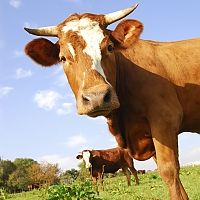
The file size for the above image at 80% quality is 10897 bytes (10.64 KiB), down from the original file size of 39414 bytes (38.49 KiB).
array(
'quality' => 80
)
);
echo $ce_image->create_tag();
echo '<br>The file size for the above image at 80% quality is ' . $ce_image->get_filesize( TRUE ) . ' bytes (' . $ce_image->get_filesize() . '), down from the original file size of ' . $ce_image->get_original_filesize( TRUE ) . ' bytes (' . $ce_image->get_original_filesize() . ').';
$ce_image->close();
get_original_height
The height of the original image.
[This method has no parameters]
return int: The original image’s height.

The height for the above image is 150px. The height for the original (source) image is 200px.
array(
'height' => 150
)
);
echo $ce_image->create_tag();
echo '<br>The height for the above image is ' . $ce_image->get_height() . 'px. The height for the original (source) image is ' . $ce_image->get_original_height() . 'px.';
$ce_image->close();
get_original_relative_path
The relative path (from document root) of the original image.
[This method has no parameters]
return string: The original image’s relative path.
The above image is located at: /images/made/images/example/cow_square_150_150.jpg
Its source image is located at: /images/example/cow_square.jpg
array(
'height' => 150
)
);
echo $ce_image->create_tag();
echo '<br>The above image is located at: ' . $ce_image->get_relative_path();
echo '<br>Its source image is located at: ' . $ce_image->get_original_relative_path();
$ce_image->close();
get_original_server_path
The server path of the original image.
[This method has no parameters]
return string: The original image’s server path.
The above image is located at: /some/server/path/images/php/images/example/cow_square_150_150.jpg
Its source image is located at: /some/server/path/images/example/cow_square.jpg
array(
'height' => 150
)
);
echo $ce_image->create_tag();
echo '<br>The above image is located at: ' . $ce_image->get_server_path();
echo '<br>Its source image is located at: ' . $ce_image->get_original_server_path();
$ce_image->close();
get_original_width
The width of the original image.
[This method has no parameters]
return int: The original image’s width.
The width for the above image is 150px. The width for the original (source) image is 200px.
array(
'width' => 150
)
);
echo $ce_image->create_tag();
echo '<br>The width for the above image is ' . $ce_image->get_width() . 'px. The width for the original (source) image is ' . $ce_image->get_original_width() . 'px.';
$ce_image->close();
get_relative_path
The relative path (from document root) of the current image.
[This method has no parameters]
return string: The current image’s relative path.
The above image is located at: /images/example/cow_square.jpg
echo $ce_image->create_tag();
echo '<br>The above image is located at: ' . $ce_image->get_relative_path();
$ce_image->close();
get_resource
The currently open image resource.
[This method has no parameters]
return resource|bool: The resource on success and FALSE on failure.
This is a resource!
echo $ce_image->create_tag();
$resource = $ce_image->get_resource();
echo '<br>';
echo ( is_resource( $resource ) ) ? 'This is a resource!' : 'This is not a resource.';
//after the image is closed, the resource technically still exists,
//however, none of the image data will be available
$ce_image->close();
For a good example of get_resource() usage, please refer to the Multiple Processing documentation.
get_s3_url
The Amazon S3 URL. This will work in conjunction with the bucket= parameter.
[This method has no parameters]
return string: The Amazon S3 URL.
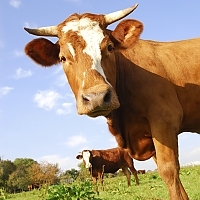
Amazon S3 URL: http://causingeffect.s3.amazonaws.com/images/made/images/example/cow_square_200_200.jpg
array(
'bucket' => 'causingeffect',
'aws_key' => 'YOURKEY',
'aws_secret_key' => 'yOUr+sEcrEt-KeY',
'aws_request_headers' => array(
'Cache-Control' => 'max-age=' . (30 * 24 * 60 * 60),
'Expires' => gmdate("D, d M Y H:i:s T", strtotime('+1 month') )
)
)
);
echo $ce_image->create_tag() . '<br>';
echo 'Amazon S3 URL: ' . $ce_image->get_s3_url();
$ce_image->close();
get_server_path
The server path of the current image.
[This method has no parameters]
return string: The current image's server path.
The image is located at: /some/server/path/images/example/cow_square.jpg
array(
'height' => 150
)
);
echo $ce_image->create_tag();
echo '<br>The image is located at: ' . $ce_image->get_server_path();
$ce_image->close();
get_top_colors
Organizes the colors used in your image by frequency of occurrence, and groups them by a threshold.
- $quantity (int): The maximum number of colors (color groups) to return.
- $threshold (int): Value from 0 (very low grouping) to 100 (very high grouping).
return array|bool:On success, returns an array of results with each result being an array with the following keys: 'color', 'color_count', 'color_percent'. On failure, returns FALSE.
Note: The color values of completely transparent pixels are ignored.
Note: The top_colors results are not cached. You should, however, cache the results by some other means. Learn more about increasing your performance using CE Image.
The following two examples illustrate how color palettes can be generated for an image:
Here is a sample color palette for this image:
#cad6f2 (≈ 26.4%)
#39200e (≈ 15.3%)
#6a3917 (≈ 10.9%)
#c9843c (≈ 10.6%)
#a2b9ec (≈ 8.9%)
#877832 (≈ 7.4%)
#d7ba70 (≈ 6.2%)
#dae6fc (≈ 5.4%)
#b2b44b (≈ 2.7%)
#ca9c66 (≈ 2.6%)
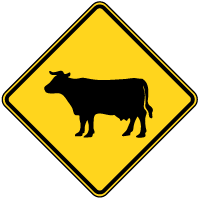
Here is a sample color palette for this image:
#030300 (≈ 63.6%)
#ffd51d (≈ 30.5%)
#e0ba19 (≈ 2.5%)
$ce_image->open( '/images/example/cow_square.jpg' );
echo $ce_image->create_tag( array( 'style' => 'float: left' ) );
$results = $ce_image->get_top_colors( 10 );
if ( $results != FALSE )
{
echo '<div style="float: left; margin-left: 15px;">';
echo '<p>Here is a sample color palette for this image:</p>';
//loop through the results
foreach ( $results as $result )
{
echo '<p style="margin-bottom: 0;"><span style="display:block; float:left; width:1em; height:1em; background-color:'. $result['color'] . '; margin-right: 10px"><!-- --></span>' . $result['color'] . ' (≈ ' . $result['color_percent'] . '%)</p>';
}
echo '</div>';
}
$ce_image->close();
//don't mind this, just some clearing divs
echo '<div class="clear"><!-- --></div><!-- .clear -->';
echo '<br>';
echo '<div class="clear"><!-- --></div><!-- .clear -->';
//sign get_top_colors example
$ce_image->open( '/images/example/cow-sign.png' );
echo $ce_image->create_tag( array( 'style' => 'float: left' ) );
$results = $ce_image->get_top_colors( 10 );
if ( $results != FALSE )
{
echo '<div style="float: left; margin-left: 15px;">';
echo '<p>Here is a sample color palette for this image:</p>';
//loop through the results
foreach ( $results as $result )
{
if ( $result['color_percent'] > 2 )
{
echo '<p style="margin-bottom: 0;"><span style="display:block; float:left; width:1em; height:1em; background-color:'. $result['color'] . '; margin-right: 10px"><!-- --></span>' . $result['color'] . ' (≈ ' . $result['color_percent'] . '%)</p>';
}
}
echo '</div>';
}
$ce_image->close();
get_width
The width of the current image.
[This method has no parameters]
return int: The current image’s width.
The width for the above image is “200px”.
echo $ce_image->create_tag();
echo '<br>The width for the above image is “' . $ce_image->get_width() . 'px”.';
$ce_image->close();
make
Opens and manipulates an image. This method does not return anything.
- $src (string|resource): The image source. Can be a relative path to document root, a full server (absolute) path, a URL (remote or local), an HTML snippet, or a GD2 image resource.
- $temp_settings (array): The settings that will temporary override the previously set default settings, for this image only.
- $save (bool): Whether or not to save the image after it is 'made.'
return bool: TRUE on success and FALSE on failure.

array( 'filters' => 'sepia' )
);
echo $ce_image->create_tag();
$ce_image->close();
open
Opens an image. Call this function if you would like to get data from an image without manipulating it. This function is also called by the 'make' method.
- $src (string|resource): The image source. Can be a relative path to document root, a full server (absolute) path, a URL (remote or local), an HTML snippet, or a GD2 image resource.
- $temp_settings (array): The settings that will temporary override the previously set default settings, for this image only.
return bool: TRUE on success and FALSE on failure.
echo $ce_image->create_tag();
$ce_image->close();
reset_to_factory_settings
Resets the settings back to the “factory defaults.”
[This method has no parameters] return void
For detailed usage of this method, please refer to the Reset to “Factory” Settings documentation.
set_default_settings
Accepts settings to integrate with the default settings.
- $default_settings (array): The default settings that will override the previously set default settings.
return void
array(
'width' => 100,
'height' => 200
)
);
For detailed usage of this method, please refer to the Default Settings documentation.