Basic Usage
Instantiating CE Image
if ( ! class_exists( 'CE_image' ) )
{
require '/your/path/to/Ce_image.php';
}
//instantiate the class
$ce_image = new Ce_image();
Default Settings
CE Image has a lot of settings that enable you to do exciting things with your images very easily. The default settings are persistent and you can revert to them at any time.
Setting Default Settings on Instantiation
When you instantiate the CE Image class, you can pass in an array containing the default settings, like so:
if ( ! class_exists( 'CE_image' ) )
{
require '/your/path/to/Ce_image.php';
}
//instantiate the class with the default settings
$ce_image = new Ce_image(
array(
'width' => 100
)
);
//create the image
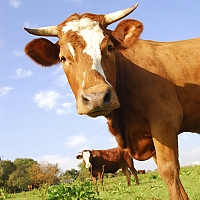
$ce_image->make( '/images/example/cow_square.jpg' );
//echo the image tag for the created image
echo $ce_image->create_tag();
//close the image (free up memory)
$ce_image->close();
The above code will result in this::

Setting Default Settings After Instantiation
After the class has been instantiated, you can also set/change the default setting by calling the set_default_settings() method, like this:
array(
'width' => 0, //allow width to default to actual size
'filters' => array( 'grayscale' )
)
);
$ce_image->make( '/images/example/cow_square.jpg' );
echo $ce_image->create_tag();
$ce_image->close();
The above code will result in the following:

Temporary Settings
The temp settings are, as you may have well guessed, temporary. They allow you to pass in some settings to change the defaults, but not permanently. When you call the 'open' or 'make' methods, the second parameter allows you to pass in an array of temporary settings. These settings will not persist when a subsequent call to the 'open' or 'make' methods occurs.
array(
'filters' => array(
'sepia'
),
'max' => 150
)
);
The above code will result in the following:

However, if we make the image again, we will notice that it has reverted to the default settings; the temporary settings are gone:
echo $ce_image->create_tag();
$ce_image->close()
Reset To “Factory” Settings
If you want to completely reset all of the settings to the “factory” settings (which will also remove your default settings),you can do so using the reset_to_factory_settings() method. This will reset the settings as if the class had been newly instantiated with an empty settings array passed in. Example:
$ce_image->make( '/images/example/cow_square.jpg' );
echo $ce_image->create_tag();
$ce_image->close();
The above code will print out the original (source) image, because the image was not manipulated and did not need to be created: